Frequently Asked Questions
How long does a proper service write-up take?
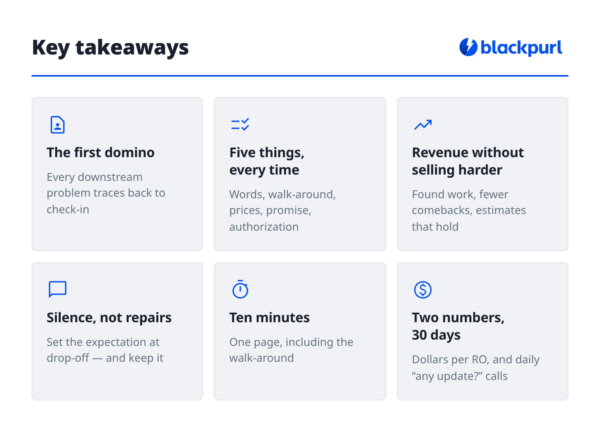
Ten minutes, including the walk-around. That feels expensive on a busy morning, but it saves the tech diagnostic time, prevents parts errors, and cuts inbound status calls. Net, it saves time the same day you spend it — and pays again at invoicing when the estimate holds.
What if my service writer says there's no time for walk-arounds?
Then the check-in schedule is the problem, not the walk-around. Stagger drop-off appointments in 15-minute slots instead of letting everyone arrive at opening. The walk-around isn’t optional — it’s where found work, comeback prevention, and customer trust all come from.
Should the write-up be on paper or in software?
Start with whatever your team will use consistently — consistency beats technology. Once the habit sticks, a system that connects the write-up to parts, tech hours, and customer texting removes the re-typing and sticky notes, and gives you numbers to manage by instead of gut feel.
How do I know if my write-up process is actually improving anything?
Track dollars per repair order and daily inbound status calls for 30 days before and after. Revenue per RO should climb from found work, and status calls should drop as expectation-setting kicks in. Those two numbers move weeks before your monthly financials do.
What should I fix after the write-up?
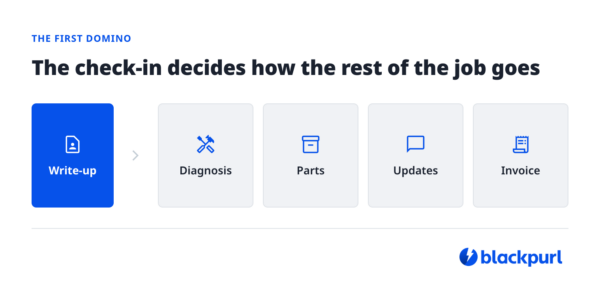
Scheduling is usually next — controlling when work arrives so the shop runs level instead of in waves. After that, parts pre-pull, so techs never stand at the counter waiting. Fix in that order: write-up, scheduling, parts. Each one makes the next easier.
Is this different for trailer dealerships versus powersports or RV?
The units differ; the process doesn’t. A trailer walk-around checks bearings, brakes, and wiring; a powersports check-in looks at different components. But the five-step write-up — customer’s words, inspection, priced findings, communication promise, authorization — works in any service department with a counter and a customer.
I'm used to pen and paper. How hard is switching?
Easier than most owners expect, because a good DMS mirrors what you already do — it doesn’t replace your process, it holds it. Your check-in becomes a service job with the concern typed instead of scribbled; your techs can still work from a printed Service Worksheet with room to write. The difference is nothing gets lost, and every job builds a searchable service history on the customer and the unit.
How does Blackpurl 2 help me keep customers updated on their service job?
Two ways. Job statuses (New Job, Ready to Start, Ready to Invoice, or your own custom statuses) mean anyone who answers the phone can see exactly where a unit stands — no walking to the shop to check. And Blackpurl 2’s integrated texting lets you send the update before the customer calls, which is how the communication promise from step 4 gets kept at scale.